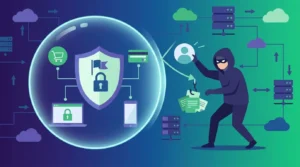
In today’s digital age, online shopping has become a staple for consumers worldwide. As convenient as it is, online shopping comes with its own set of risks. Fortunately, browser extensions can significantly enhance online safety. By understanding how to effectively use these tools, shoppers can better protect their personal information and ensure secure transactions.
Understanding Browser Extensions
Browser extensions are small software programs that customize the browsing experience. They offer additional features and functionalities that are not inherently available in web browsers. Extensions can block ads, enhance privacy, manage passwords, and much more. When it comes to online shopping, certain extensions focus on security and privacy, providing an extra layer of protection against cyber threats.
Enhancing Security with Password Managers
Password managers are among the most effective browser extensions for online safety. They generate and store complex passwords, which are difficult for hackers to crack. This is crucial as weak passwords are a common vulnerability. Many password managers also offer features like form autofill and secure notes, which streamline the shopping process while keeping your data safe. Integrating a password manager into your browser enhances security without compromising convenience.
Ad Blockers for a Safer Shopping Experience
Ad blockers are another valuable tool for online shoppers. They prevent unwanted ads and pop-ups, which can sometimes carry malicious software. While browsing shopping sites, users often encounter numerous ads that can be distracting or even harmful. By using an ad blocker, you can reduce the risk of accidentally clicking on fraudulent ads and enhance your overall browsing experience.
Privacy Extensions to Safeguard Personal Data
Privacy extensions are designed to protect your personal information from being tracked and accessed by third parties. These extensions can block tracking cookies, prevent browser fingerprinting, and even encrypt your browsing activity. For instance, extensions like HTTPS Everywhere ensure that your connection to websites is secure, which is vital when entering sensitive information such as credit card details. This added layer of security can prevent your data from being intercepted by cybercriminals.
Price Comparison Tools for Smart Shopping
In addition to security, certain extensions can aid in making smarter purchasing decisions. Price comparison tools automatically compare prices across different retailers, ensuring that you get the best deal. These tools not only save money but also help avoid potential scams by directing users to reputable sites. While these extensions primarily focus on cost savings, they contribute indirectly to online safety by steering shoppers away from dubious vendors.
Staying Informed and Updated
Regularly updating your browser extensions ensures they function correctly and provide optimal security. Developers frequently release updates to patch vulnerabilities and enhance features. Therefore, it is essential to keep extensions up to date. Additionally, staying informed about new extensions and their functionalities can further enhance your online shopping experience. For a deeper understanding of secure online practices, consider visiting How to Use Browser Extensions for Safer Shopping.
Conclusion
Browser extensions are powerful tools that can significantly enhance the safety of your online shopping experience. By using password managers, ad blockers, privacy extensions, and price comparison tools, consumers can protect their personal information and make informed purchasing decisions. Keeping these tools updated and understanding their capabilities is essential for maximizing their effectiveness. By incorporating these practices, online shoppers can navigate the digital marketplace with greater confidence and security.
Utilizing Virtual Private Networks (VPNs) for Added Security
Another effective tool for enhancing online shopping safety is a Virtual Private Network (VPN) extension. VPNs create a secure, encrypted connection between your device and the internet, masking your IP address and protecting your data from prying eyes. This is particularly useful when shopping on public Wi-Fi networks, which are often vulnerable to security breaches. By using a VPN, you can ensure that your personal information, such as credit card numbers and login credentials, remains confidential and inaccessible to hackers.
Many VPN extensions offer additional features like blocking malicious websites and preventing data leaks, adding another layer of protection. When selecting a VPN extension, look for reputable services that do not log your browsing activity, as this ensures your privacy is maintained during your online shopping sessions.
Shopping Cart Extensions for Streamlined Checkouts
Shopping cart extensions can significantly enhance the online shopping experience by simplifying the checkout process. These extensions allow users to save shopping carts across multiple devices, making it easy to continue shopping from where they left off. Additionally, some extensions offer features like automatic coupon application, helping you save money without manually searching for discounts.
Moreover, shopping cart extensions can provide reminders about items left in your cart, preventing you from missing out on potential purchases. By streamlining checkouts and enhancing user experience, these extensions contribute to a more efficient and enjoyable shopping journey.
Monitoring Extension Permissions for Better Control
While browser extensions offer numerous benefits, it is crucial to monitor the permissions they request. Some extensions may ask for access to sensitive data or browsing activity, which can pose privacy risks. Ensure that you review the permissions and only grant access that is necessary for the extension’s functionality.
Regularly audit your installed extensions and remove any that are no longer needed or are from untrusted sources. This practice not only reduces security vulnerabilities but also optimizes your browser’s performance by eliminating unnecessary extensions that could slow down your browsing.
Educating Yourself on Extension Best Practices
Staying informed about best practices for using browser extensions is key to maintaining a safe online shopping environment. Educate yourself on how to identify trustworthy extensions and understand their terms of service. Engaging with online communities and forums can also provide valuable insights and recommendations for the most reliable extensions available.
By continuously educating yourself and adopting safe browsing habits, you can leverage browser extensions to create a secure and efficient online shopping experience.