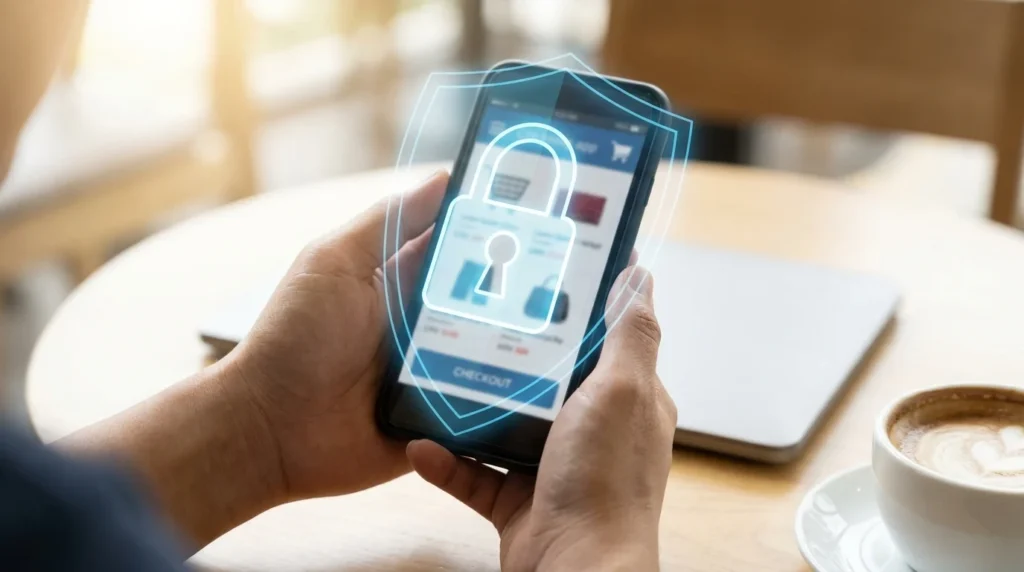
As mobile shopping becomes increasingly popular, the need for secure mobile shopping practices is more critical than ever. With the convenience of shopping from anywhere, it’s essential to protect your personal information from potential threats. Here are some tips to help you shop securely on your mobile device.
Use Trusted Apps and Websites
When shopping on your mobile device, always use trusted apps and websites. Download apps only from official app stores like Google Play or Apple’s App Store. These platforms have security measures in place to help prevent malicious apps. Additionally, ensure the website you are shopping on is legitimate by looking for a secure connection, indicated by ‘https’ in the URL.
Update Your Device Regularly
Keeping your mobile device updated is crucial for secure mobile shopping. Updates often include security patches that protect against vulnerabilities. Set your device to update automatically, so you don’t miss important updates that could safeguard your data.
Use Strong, Unique Passwords
Using strong, unique passwords for your shopping accounts is a fundamental security practice. Avoid using easily guessable passwords and consider using a password manager to generate and store complex passwords securely. This adds an extra layer of protection against unauthorized access.
Enable Two-Factor Authentication
Two-factor authentication (2FA) adds an additional security layer by requiring two forms of verification before accessing your account. Enable 2FA on your shopping accounts to enhance security. This typically involves receiving a verification code on your mobile device, making it more challenging for hackers to access your account.
Be Cautious with Public Wi-Fi
Public Wi-Fi networks are convenient but can be risky for mobile shopping. Avoid entering sensitive information, such as credit card details, while connected to public Wi-Fi. If you must shop using public Wi-Fi, consider using a Virtual Private Network (VPN) to encrypt your data and protect your privacy.
Recognize and Avoid Phishing Scams
Phishing scams are prevalent in mobile shopping. Be cautious of emails or messages that request personal information or direct you to a suspicious website. Verify the sender’s authenticity before clicking on any links. For more tips on recognizing online traps, visit our article on Recognizing and Avoiding Online Shopping Traps.
Choose Secure Payment Methods
Using secure payment methods is vital for protecting your financial information. Opt for payment options that offer buyer protection, such as credit cards or secure payment platforms like PayPal. Learn more about secure payment methods in our detailed guide on Understanding Secure Payment Methods for Online Shopping.
Monitor Your Accounts Regularly
One of the most effective ways to ensure secure mobile shopping is by regularly monitoring your financial accounts for any unusual activity. It’s important to review your bank and credit card statements frequently to catch any unauthorized transactions early. Many banks offer mobile apps that allow you to set up alerts for large purchases or transactions made without your physical card. If you notice any suspicious activity, report it to your financial institution immediately to prevent further unauthorized access.
Additionally, consider using apps that aggregate all your financial information into one place, providing a comprehensive overview of your spending habits. This can help you quickly identify any discrepancies or unfamiliar charges, allowing you to take prompt action.
Utilize Mobile Payment Solutions
Incorporating mobile payment solutions into your shopping routine can enhance security. Services like Apple Pay, Google Wallet, and Samsung Pay use tokenization technology, which replaces your actual card details with a unique digital identifier. This means your actual card information is not shared with the merchant, reducing the risk of your details being compromised.
Moreover, these services often require biometric authentication, such as a fingerprint or facial recognition, adding an extra layer of security. By using mobile payment solutions, you can ensure that your financial information remains secure even if your device is lost or stolen, as these features prevent unauthorized access.
Beware of Social Engineering Tactics
Social engineering tactics can be a significant threat to secure mobile shopping. These strategies involve manipulating individuals into providing personal information, often through deceptive means. Be wary of unsolicited calls or messages posing as reputable companies requesting sensitive information. Legitimate organizations will never ask for passwords or other confidential information via these channels.
Always verify the identity of the person or entity contacting you. If in doubt, contact the company directly using official contact details found on their legitimate website. Educate yourself on common social engineering tactics to better recognize and avoid falling victim to these scams.
Invest in Mobile Security Software
Installing mobile security software can significantly enhance your protection when shopping online. These applications offer various features, such as malware protection, secure browsing, and anti-phishing tools, which help safeguard your data from potential threats. Ensure that your security software is from a reputable provider and keep it updated to benefit from the latest security features.
Some security apps also offer features like remote wipe, which allows you to erase your device’s data in case it’s lost or stolen. This ensures that any sensitive information stored on your device does not fall into the wrong hands, providing peace of mind and enhanced security.
Conclusion
By implementing these strategies, you can enjoy the convenience of mobile shopping while keeping your personal and financial information secure. Stay informed and proactive about the latest security practices and tools to protect yourself from emerging threats in the ever-evolving world of mobile commerce.